Photos and PDFs
Take a photo, pick one from your library, or attach a PDF invoice. One expense can have several receipts.
A receipt is only useful if you can find it. PencePal keeps each photo or PDF with the expense it backs up, so the record and the evidence stay together, on your phone and on the web.
Scan and auto-fill, and sharing receipts in from other apps, are part of PencePal Pro. Attaching photos and PDFs is free. About PencePal Pro
Take a photo, pick one from your library, or attach a PDF invoice. One expense can have several receipts.
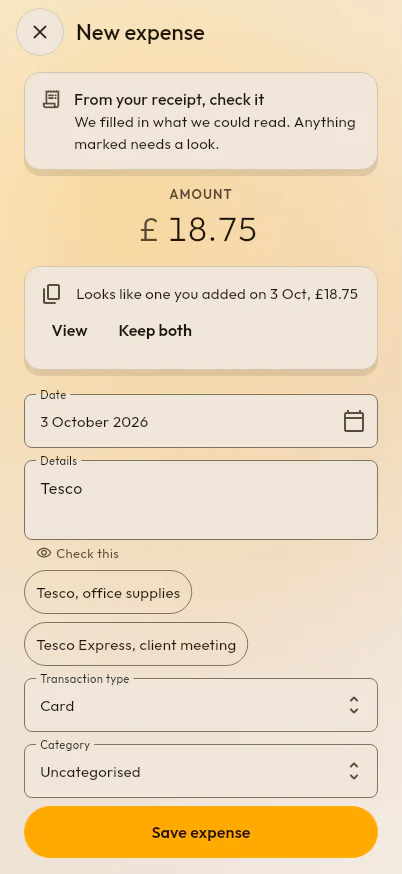
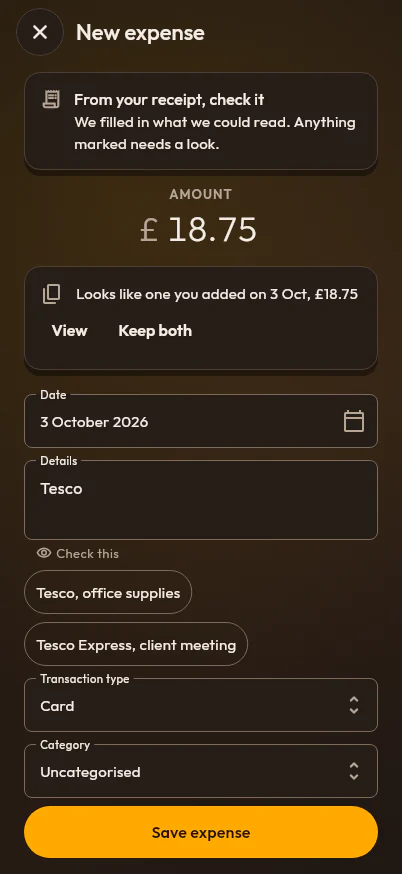
Scan a receipt and PencePal reads the total, the date and the shop on your device, then fills them in for you to check. Nothing is saved until you do.
Add a receipt you have already added and PencePal says so, with the one it matches, before you save a second.
Share a receipt from Mail, Files or Photos straight into a new expense.
Each receipt file has its own unguessable address in your own folder, and deleting an expense deletes its receipts.
Can you keep receipts as photos and PDFs, and throw the paper away? What gov.uk and HMRC’s guidance say, with tips for a legible record.
How long UK sole traders and limited companies must keep business records and receipts, with a worked example of the dates.
Track business expenses on your phone and the web, file each under an HMRC-style category, and always know which receipts are missing.
Turn any tax year, quarter or date range into an expense report PDF: every expense, its receipts, and totals by type and by category.
Log business journeys and let PencePal price each one at HMRC’s approved mileage rates, split at the 10,000-mile threshold, tax year by tax year.
Charts of your business spending by month, by category and by payment type, with the receipts still missing and your mileage, for any period.